
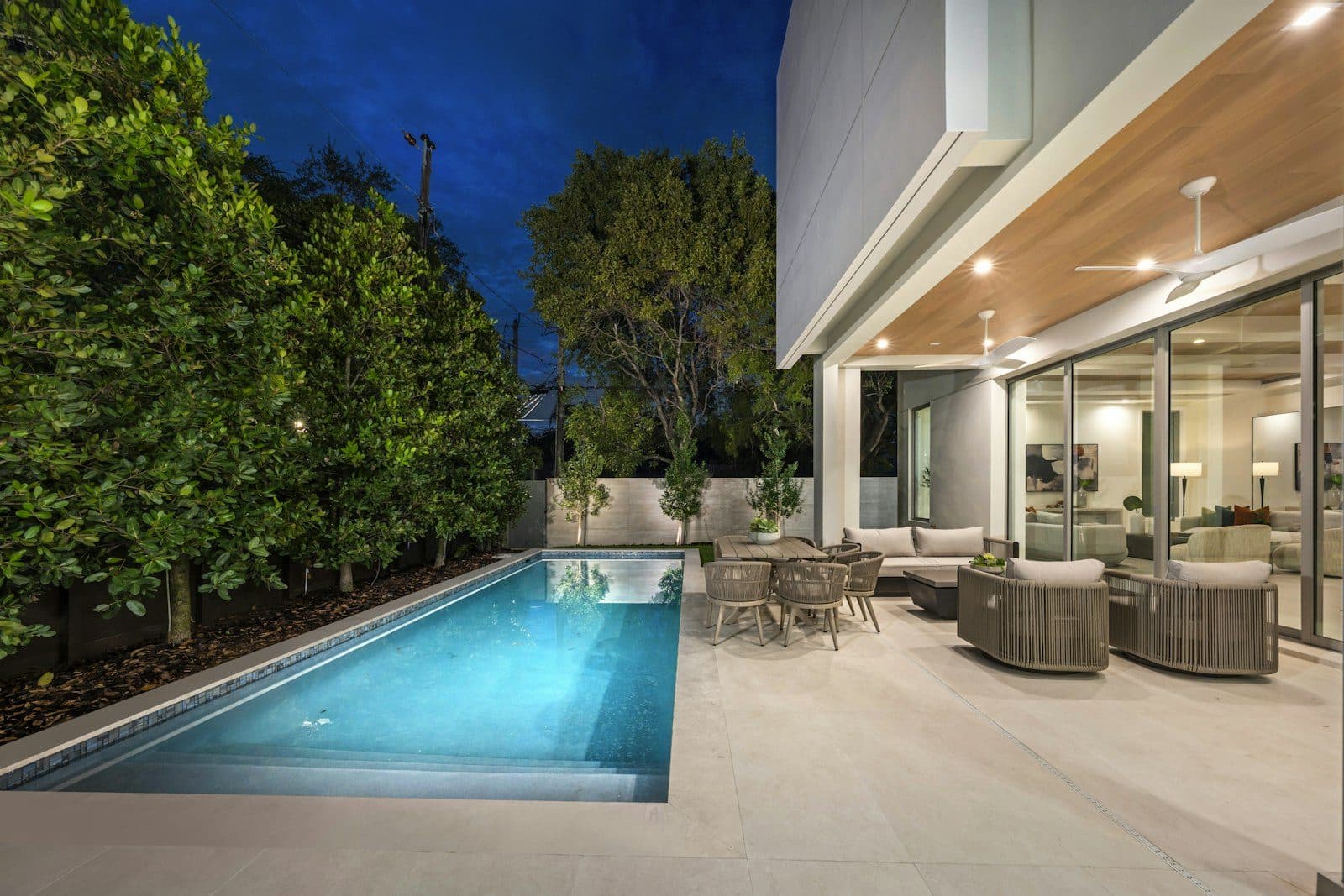
Few families buy a pool on impulse. A family talks about it for months, looks at backyards, sets a budget and then calls two or three builders. By the time the first warm weekend arrives, many families have already made that shortlist.
This plan covers what to put in place between now and March so your company is on it. It's written with Texas examples, because that's where our research starts. Seasons differ outside Texas; the steps don't.
What's different about selling pools in winter?
The buying starts before the building. Most in-ground pools take six to twelve weeks to build, plus time for planning and permits.[1] In much of Texas, crews can often work through the winter, so a family that signs in January has a real chance of swimming by summer, depending on permits and your backlog. That makes late winter the season when many families compare builders.
It also means the families you meet in spring often did their research in winter. If your website, reviews and Google profile weren't ready then, they may have ruled you out before you knew they were looking.
45% of US consumers now use ChatGPT or other AI tools for local business recommendations, up from 6% a year earlier.
Source: BrightLocal Local Consumer Review Survey · (opens in a new tab)
Some of that research now starts in an AI assistant, but families still check Google, your website and your reviews. The same work covers both.
What do families ask before they call a pool builder?
They ask about cost, time and trust. These are example questions of the kind families type into Google or ask ChatGPT:
- "How much does an inground pool cost in Austin?"
- "How long does it take to build a pool in Texas?"
- "Which pool builders near me do gunite and fiberglass?"
- "What do I need from my HOA before we build a pool?"
- "Who are the best pool builders in Austin?"
- "Can we get a pool built before summer if we sign in January?"
Each of those questions should have a clear answer somewhere on your website. If it doesn't, an assistant has nothing from you to repeat, and a family has no reason to call you first.
Which pages sell a pool build?
Pages built from your real projects, grouped the way families think about them:
- A gallery by project type: plunge pools, family pools, pools with spas, outdoor kitchens, each with the town and the year.
- Price ranges with a date: what most builds of each type cost this year, and what moves the price, such as size, finish, decking, features and access to the yard.
- A timeline: your own steps, such as design, permits, dig, steel, gunite, tile and coping, decking, finish and first fill, with typical weeks for each step.
- A financing FAQ: what options you offer, if any. Use the exact payment wording your lender approves.
- Your HOA and permit process: what you handle and what the family needs to do.
For trades and home services, star ratings and review counts carry more weight than in any other industry, and 36% of trade customers weigh clear pricing or deals (vs 30% overall).
Source: BrightLocal consumer search behavior study · (opens in a new tab)
One project page for an Austin pool build
- Heading: a family pool with a spa in a Westlake backyard, finished in May 2026.
- What they wanted, in two sentences, and what made the yard tricky.
- Six to ten photos: the dig, the steel, the gunite, the tile, the finished pool at dusk.
- Timeline: signed in January, permit in February, first fill in May.
- Price band for this kind of build, with the month the range was checked.
- The customer's review, quoted with permission, and a link to request a design visit.
Illustrative example
Which photos and videos help families decide?
Real ones from your own builds, labeled with the town and the month. A family wants to see your crew, your steel and your finish work, not a render or a stock photo.
- Short phone videos of each stage, from the first dig to the first fill
- The same backyard before, during and after
- Close-ups of tile, coping and decking, where the quality shows
- Night shots with the lights on, if lighting is something you sell
Ask the family before you post their backyard, and keep house numbers and street signs out of the frame.
How do you ask for reviews after a build?
Ask every customer at the same point, for example the week after startup, with a direct link to your Google review form. Let them write in their own words. Google says not to ask for specific content.[2] A review that says "they finished our pool and spa in ten weeks" tells the next family far more than five stars alone. See how to ask for Google reviews.
47% of consumers won't use a business with fewer than 20 reviews.
Source: BrightLocal Local Consumer Review Survey · (opens in a new tab)
Ask everyone, not only the families you know are happy, and never offer a discount or a gift for a review. Google's review policy bans both.[2] Reply to every review, including the hard ones.
54% of consumers visit a business's website after reading positive reviews, up from 32% in 2019.
Source: BrightLocal Local Consumer Review Survey · (opens in a new tab)
So good reviews often lead people to your website. Make sure the page they land on shows the kind of build they just read about.
What should you update on your Google profile this winter?
The fields a family checks when they look you up, kept true to how you work in the colder months:
- Services: pool construction, spas, remodeling, resurfacing and anything else you sell, in plain words
- Hours: your real winter hours. Leave hours off anything open by appointment only.[3]
- Photos: ten or more from last season's builds, added a few at a time
- Description: what you build, where, and how long you've been doing it
- Updates: a short post when you open your spring calendar or finish a build worth showing
Keep the business name exactly as it is on your trucks and contracts. Adding "Best Pool Builder Austin" to it breaks Google's guidelines and puts the profile at risk.[3] Our local SEO checklist goes through the fields that matter most.
What about remodeling and resurfacing work?
Give it its own page. Owners of older pools search different words, such as resurfacing, retiling and equipment upgrades, and they want before-and-after photos and a price range for their kind of job. Winter is a good time to build those pages, because those owners start planning before swim season too.
Your month-by-month plan
| Month | What to do | Why it matters |
|---|---|---|
| November | Update your Google profile: services, winter hours and ten photos from last season's builds | It's the first thing a family sees when they look you up |
| December | Publish or refresh one page per build type, with a dated price range and a typical timeline | It answers the two questions most families ask first |
| January | Ask every customer from the past season for a review, with a direct link, and reply to each one | Fresh reviews that describe the build help families and Google alike |
| February | Add a financing, HOA and permits FAQ, plus before-and-after pages for remodel work | It clears up the questions that slow down a signed contract |
| March | Ask your buyer questions in Google and ChatGPT, and fix anything wrong or missing | It shows what families see once the winter work is done |
What not to do
- Don't build a page for every suburb with the same text and a new city name. That can count as doorway abuse under Google's spam policies.[4]
- Don't post renders or stock photos as if they were your builds.
- Don't claim a brand certification or dealer status you don't hold.
- Don't promise a summer finish date you can't keep.
- Don't offer anything in return for a review.
What no plan can change
Weather, permits and your own backlog decide when you can build, and no marketing changes that. Google and AI assistants decide what they show. What you control is what a family finds when they look: real builds, honest prices, recent reviews and a profile that matches how you work.
For how we handle this kind of work for home service trades, see contractor marketing and our local SEO plans. Signals behind this plan, such as profile completeness and service page coverage, are defined in our local visibility signal catalogue.